Work from another machine
An experiment PC needs nothing from this page: it talks to the device servers directly. This is for you, installing, updating and field-testing on a bench you are not sitting at — or watching three benches from one console.
Both go through the bench’s agent: one network door per bench, port 5550, guarded by a shared secret, the token.
1. Serve the agent on the bench
Server ▸ Configure….
Token: press Generate, then Copy — you will paste it on the other machine.
Save, then Server ▸ Start agent. The status line now says where it listens and that a token is required.
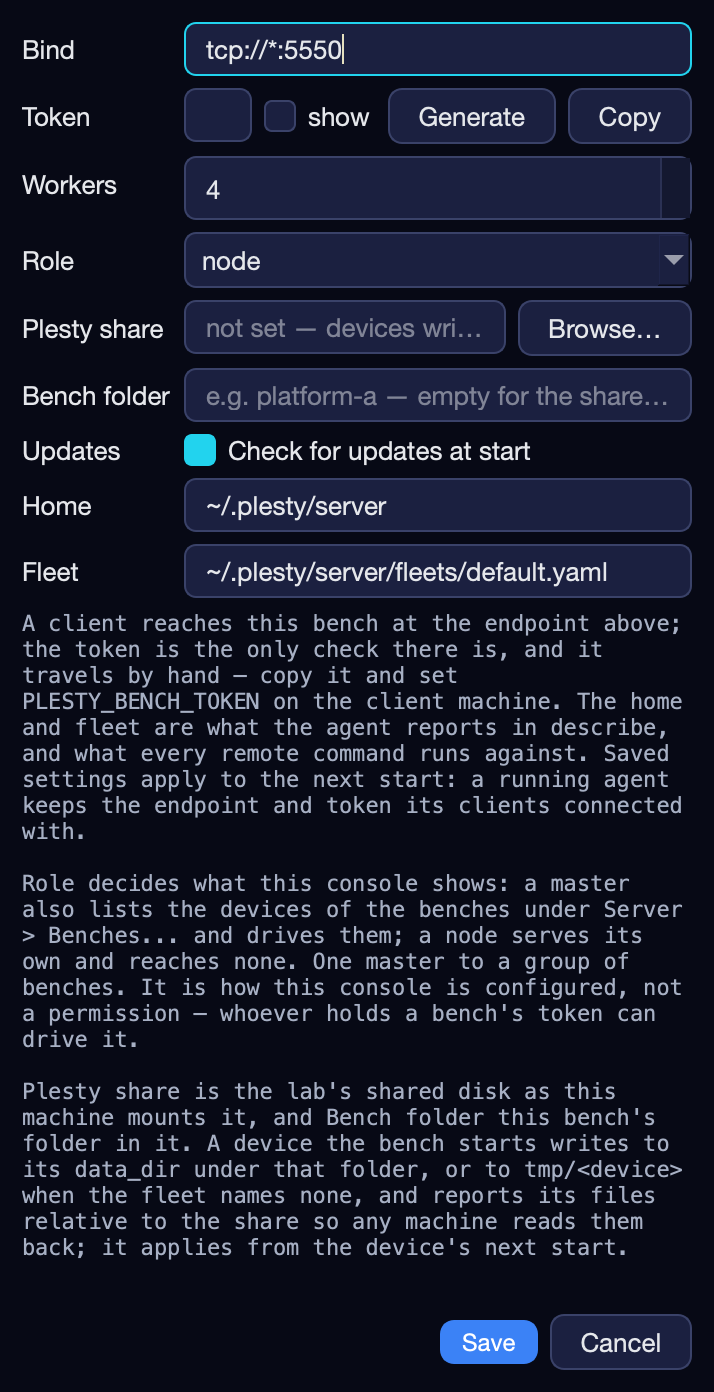
The agent runs as long as the console is open. A bench with nobody logged in
serves it with plesty-server fleet run --agent instead — see
Keep a bench up without a window.
Without a started agent, a bench can look perfectly healthy in its own window while every remote command times out.
2. Drive it from your computer
uv tool install plesty-bench
export PLESTY_BENCH=lab-bench-03 PLESTY_BENCH_TOKEN=…     # the bench, and the token you copied
plesty-bench ping
plesty-bench status
plesty-bench install k10cr1-dev
plesty-bench field-test k10cr1-dev --gates connect_lifecycle,buffer_drain
plesty-bench reports k10cr1-dev --json
Every plesty-server command works this way. Long jobs are started on the
bench and followed from here, so a dropped connection costs the output, not
the work. The control panels open on your screen with
plesty-bench control pm100d (it needs plesty-bench[control]). Everything
the client does is in plesty-bench.
Driving other benches from this console
A console can show the devices of other benches beside its own and act on them, so a setup spread over three PCs is watched from one window.
On each other bench: serve its agent (step 1) and note its address and token.
On this bench: Server ▸ Configure…, set Role to master, Save.
Server ▸ Benches…: Add a row per bench — a name for it, its address (
lab-bench-04:5550) and its token — and Save.
Their devices appear in the device table with the bench’s name under Host.
This console can |
Only the device’s own bench can |
|---|---|
Start, Stop, Restart, Install, Update, open its Control panel; Fleet up and Fleet down reach every bench |
Edit its declaration, clear its log, uninstall or remove it, run its field test; read its Log, Jobs, Reports, Terminal and Traffic panes |
Each request is sent when you ask for it, never on a timer. An install started here runs on that bench; the status bar names the job. A bench that stops answering drops out of the table, and the status bar says which one.
A node — the default role — serves its own devices and drives nobody. One master per group, and a master’s benches are not masters themselves. The role is not a permission: anyone with a bench’s token can drive it. It only decides what this console shows.
Without an agent
ssh lab-bench-03 plesty-server status
needs neither the agent nor plesty-bench — only an SSH server on the bench,
which Windows has too. It is the way in where another open port is unwelcome.
Security
The agent’s protection is the lab network and the token: there is no encryption. It refuses to start another agent or a console, fetches only files under the bench’s home and at most 16 MB of them, reaches only devices this bench runs, and compares tokens in constant time. The design is in The agent and the client.