Field-test a device
A hub device module carries its own field test: a run of checks — the
gates — against the real instrument, which publishes a
field-test.json report that the hub and plesty.net read. The bench runs it
on the bench, so nobody has to sit at the instrument; from your own computer
it is the same command through plesty-bench.
What you need
The field test lives in the module’s tests/ folder, which a release does not
carry: the device has to be installed from its repository. Declare it with
Repository (git) as its source — see Declare device —
and install it. Until then
Field Test  is greyed
out, and hovering over it says why.
is greyed
out, and hovering over it says why.
A repository whose module has no field test yet gets the hint to scaffold one
with plesty init field-test.
Run it
Select the device and press Field Test
(Ctrl+F).Choose the tier:
host — the module against the instrument itself. The bench stops the device server for the run and starts it again afterwards, exactly as it was: same arguments, same port.
client — through the running server, the way an experiment reaches the instrument. The bench starts the server first if it is down.
Address: the instrument, or
mockto run against the module’s simulator — which leaves the server alone.Untick the gates you want to skip. All ticked is the full test.
Run. A window follows the test; it also appears in the Jobs pane.
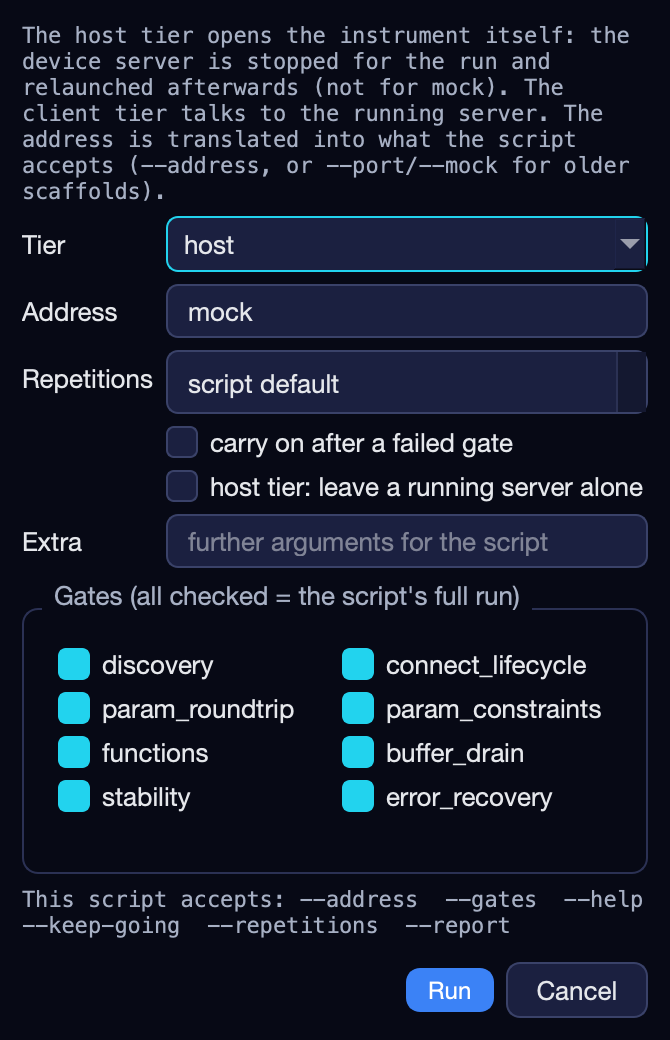
The options
In the dialog |
On the command line |
Does |
|---|---|---|
Tier |
|
See above. |
Address |
|
The instrument; |
Repetitions |
|
Repeat each measuring gate. |
carry on after a failed gate |
|
Run the rest after a failure. |
host tier: leave a running server alone |
|
Do not stop the server — only sensible with |
Gates |
|
Only these gates. |
Extra |
|
Passed to the module’s own script. |
The standard gates are discovery, connect_lifecycle, param_roundtrip,
param_constraints, functions, buffer_drain, stability and
error_recovery; the dialog shows the ones this module’s script accepts.
plesty-server field-test k10cr1-dev --gates connect_lifecycle,buffer_drain
plesty-server field-test k10cr1-dev --tier client
Reading the result
The Reports pane lists what the device’s tests have published — each report’s outcome and when it was written.
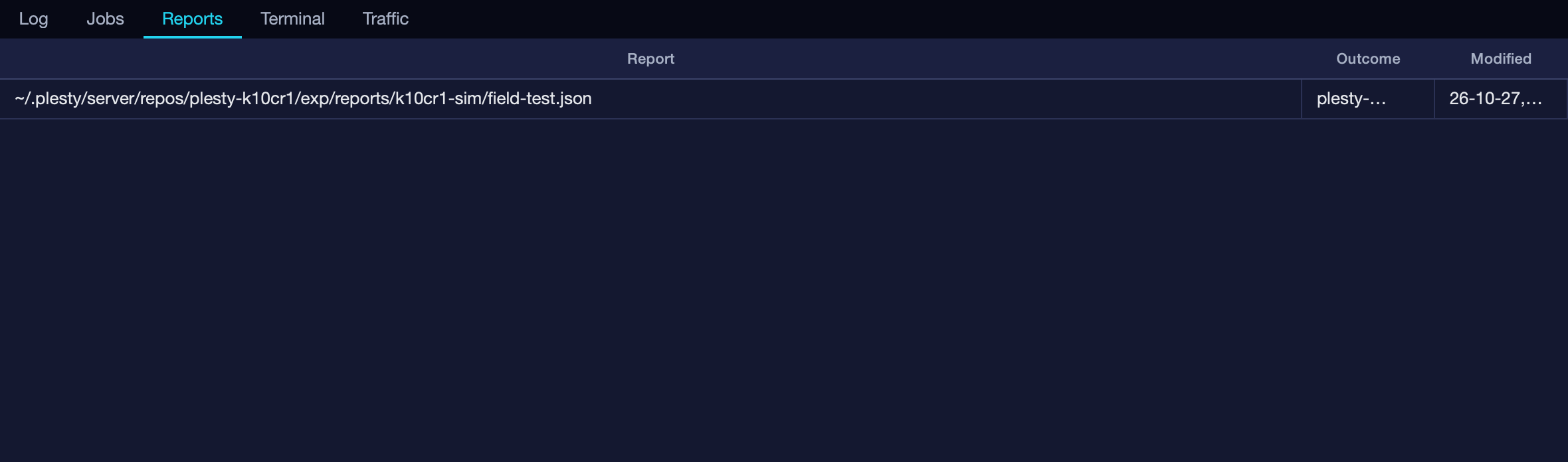
Each report sums up as passed or not, with the gates passed, failed and
skipped. The Markdown and JSONL files beside the JSON hold the address and the
instrument’s serial number, so they stay on the bench; the JSON is the part
that is published. Setting PLESTY_REPORT_ARCHIVE in the device’s env or
.env copies every run to a shared folder as well.
plesty-server reports k10cr1-dev
plesty-server reports k10cr1-dev --json
From another machine, plesty-bench fetch brings a report back — see
plesty-bench.
How the bench stops, tests and restarts the server: Field-test orchestration.