Run a cross-bench experiment
A measurement across two bench PCs, from one console: the half-wave plate is
on this bench, the spectrometer on another, and the experiment turns the one
while reading the other. This page takes it from two installed benches to a
finished run with its analysis and report — with plesty-pol-pl, the
polarisation-resolved photoluminescence experiment, in its demo configuration.
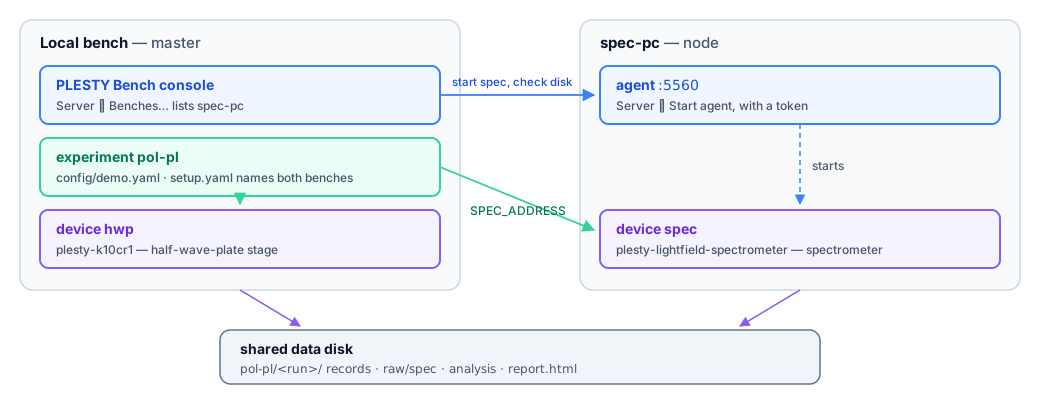
Local bench |
spec-pc |
|
|---|---|---|
Role |
master — its console shows and drives both |
node — serves its own devices |
Runs |
the console, the experiment |
the spectrometer |
Reached at |
— |
its agent, |
The demo is a real run of the experiment: the stage is the released module in
its simulator, and the spectrometer is a fixed commit of the demo/pol-pl
branch of its module,
which answers with spectra really measured on sample E098-SIL — quantum dot
QD-002, the half-wave plate turned from 0° to 178° in 2° steps. The experiment
cannot tell the difference, and neither can the analysis.
The images on this page were taken with both benches on one computer, so
spec-pc’s address is 127.0.0.1:5560 and both see /tmp as the shared disk.
In a lab, spec-pc has an address of its own and the shared disk is a network
folder.
What you need
PLESTY Bench on both PCs — see Install.
A shared data disk: one folder both PCs can write to, each under its own path (
/mnt/plestyon one,D:\plestyon another). Runs are written there, so the spectrometer on spec-pc writes its spectra straight into the run. For the demo spectrometer it must be the folder its--replay-run-rootnames without thepol-plat the end —/tmpas shipped.The network between them, with spec-pc’s port 5560 reachable from the local bench.
1. Prepare spec-pc
On spec-pc:
Hub ▸ Browse…, find plesty-lightfield-spectrometer, choose Repository (git) at ref
demo/pol-pl, and Install module.Server ▸ Configure…: press Generate for a token and Copy it — you will paste it on the local bench. Save.
Server ▸ Start agent. The status line now says where the agent listens.
Nothing else: the local bench will ask spec-pc to start the spectrometer when the run needs it.
2. Make the local bench the master
On the local bench:
Server ▸ Configure…: set Role to master, and Save.
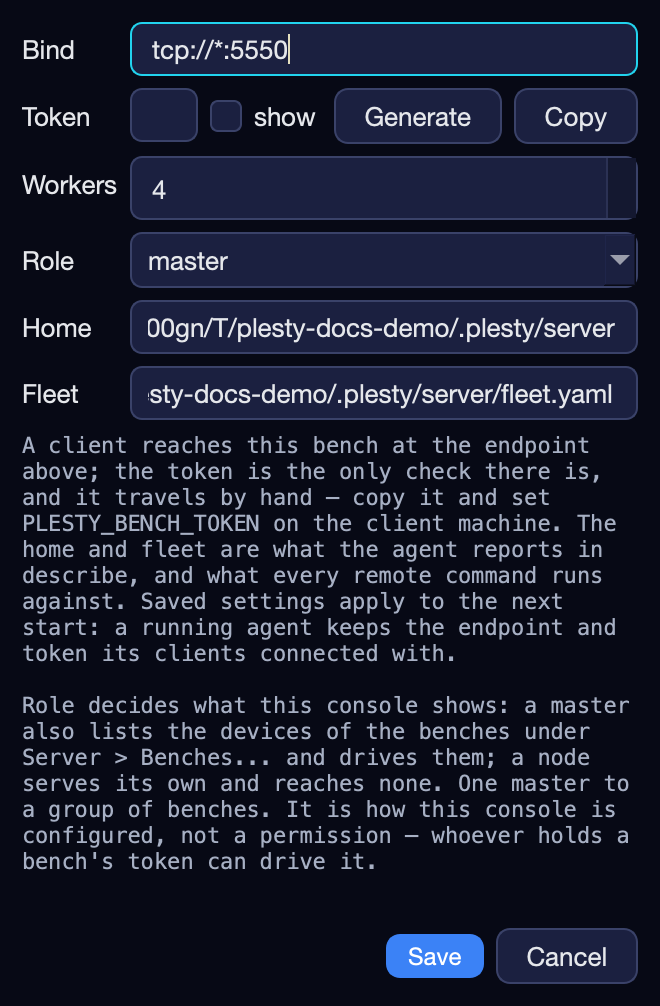
Server ▸ Benches…: Add a row — Name
spec-pc, Address its address and port 5560, Token the one you copied — and Save.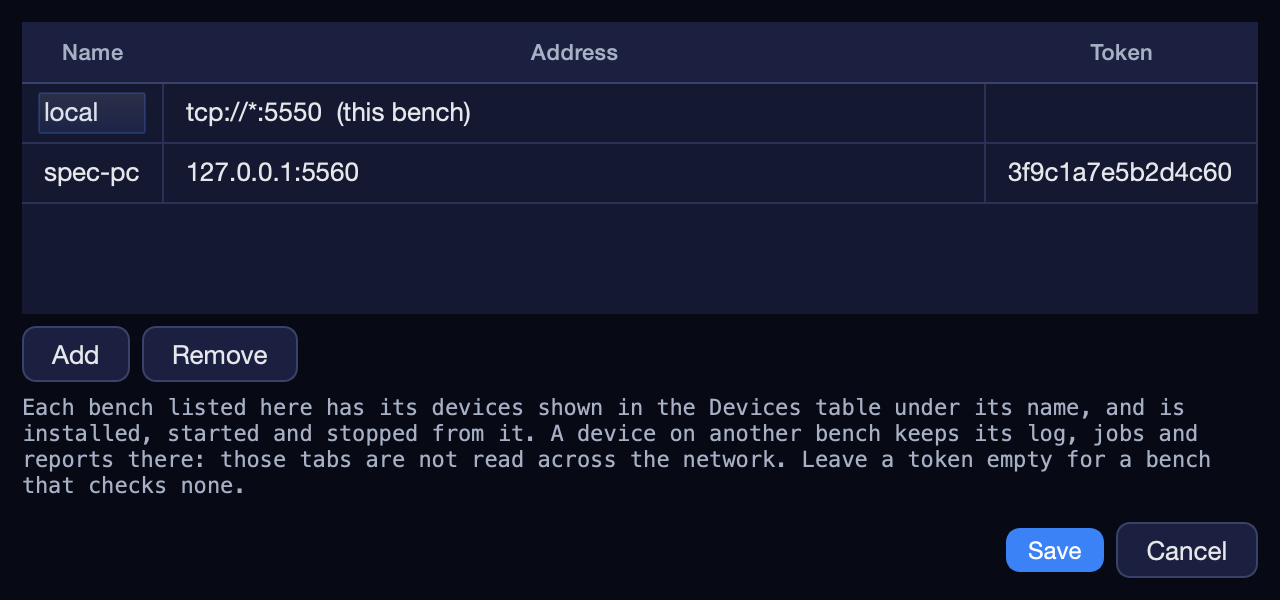
The Devices tab now shows spec-pc’s spectrometer, with spec-pc under Host:

3. Install the experiment and create a run
Hub ▸ Browse…, find plesty-pol-pl, choose Repository (git) and Install module.
On the Experiments tab, press Create
 .
Choose pol-pl and, as Config,
.
Choose pol-pl and, as Config, config/demo.yaml— the sweep the demo spectrometer holds. Create.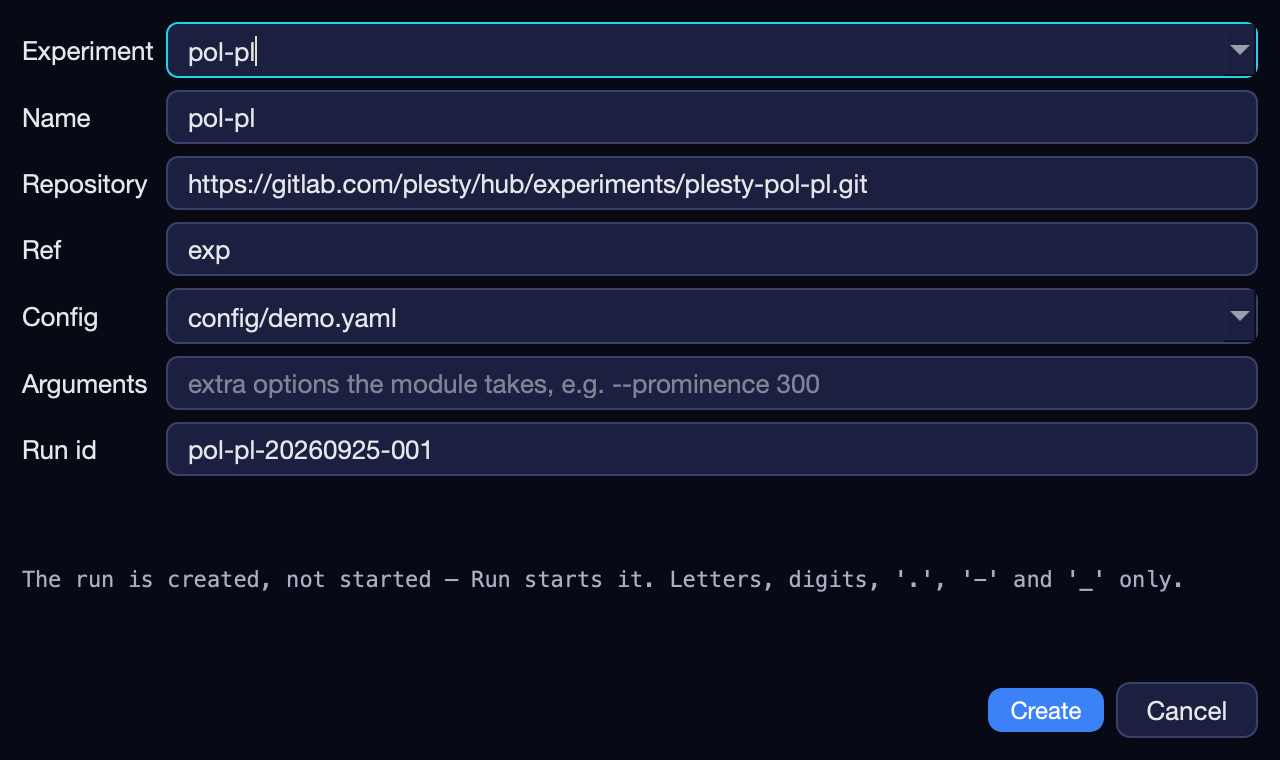
4. Tell the experiment where its instruments are
Select the run, press Configure  and open Device Setup.
Under Benches, Add a row for spec-pc: its Address and Token, and its Shared data — where spec-pc sees the shared disk. On the first row, this machine’s Shared data — where it sees the same disk.
In the spec group, set Host to
spec-pc. hwp stays onbench-local, this machine.Save.
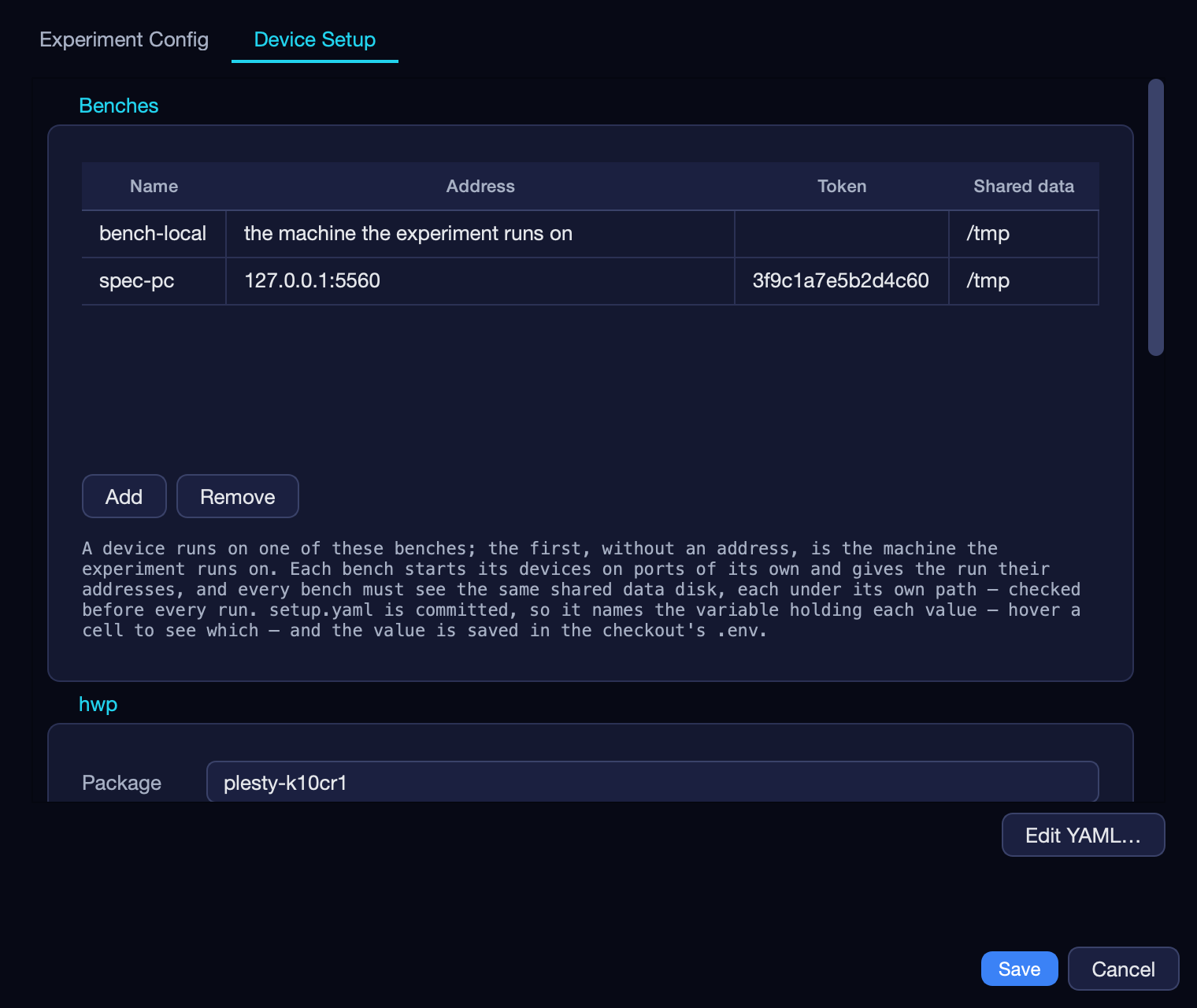
The values go into the module’s .env, and only the names of the variables
holding them into its setup.yaml — see The benches and the shared disk.
5. Run it
Press Run  and switch to the
Visualization pane.
and switch to the
Visualization pane.
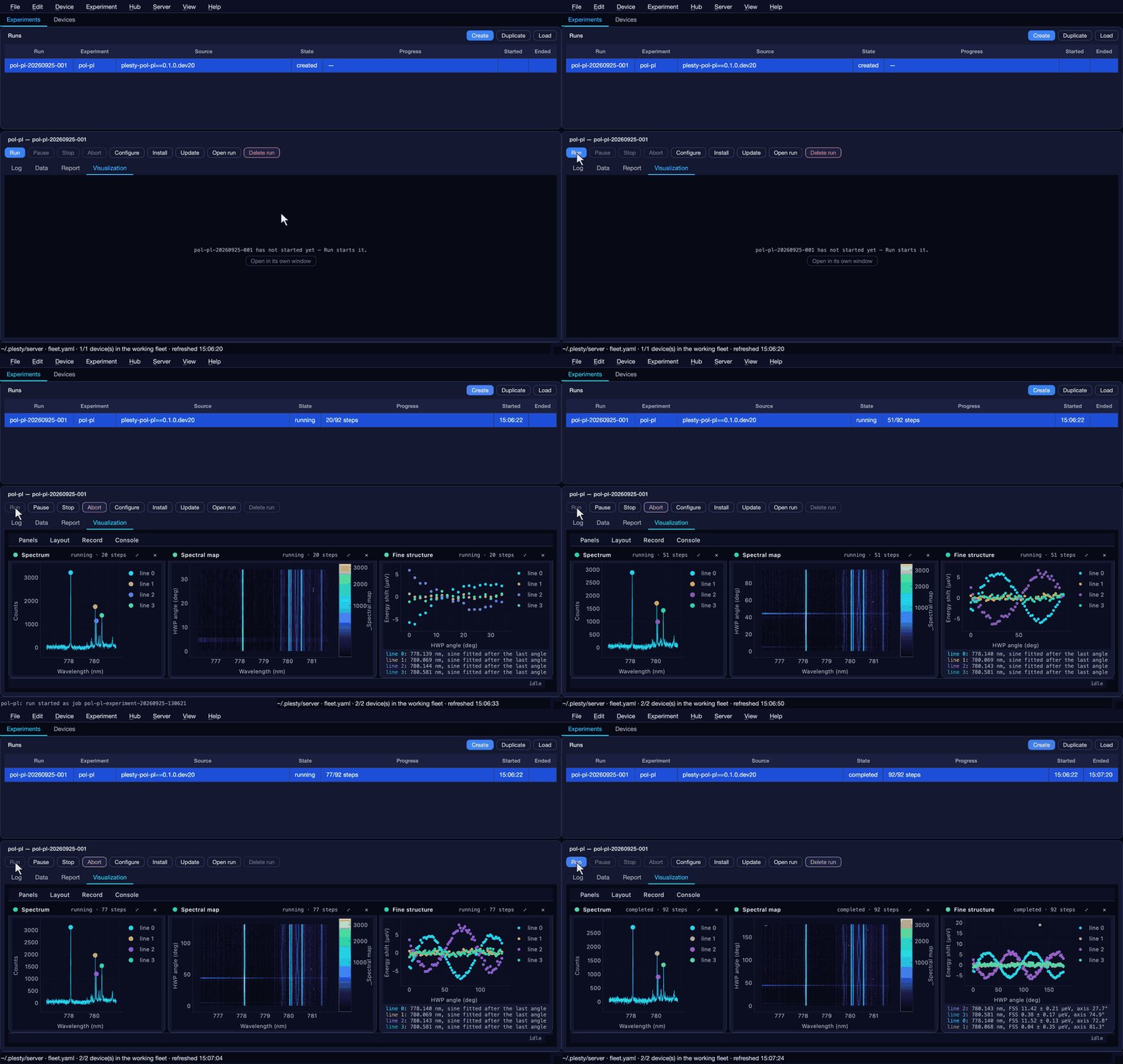
What happens, in order:
The shared disk is checked. This bench writes a small file under its Shared data; spec-pc reads it under its own and answers. If the two see different folders, the run stops here and names spec-pc.
Each instrument is started on its bench:
hwphere, andspecon spec-pc through its agent. A small window names each while it opens.The run measures: 90 angles, a spectrum at each. The views fill as it goes — the latest Spectrum, the Spectral map of all of them against the angle, and the Fine structure: each line’s position against the angle, with the sine fitted to it.
It analyses and reports. When the last angle is in, the fine-structure analysis runs and the run writes
report.htmlinto its folder. Then both instruments are stopped again, each on its bench.
The demo takes about a minute. While it runs, the Devices tab shows both instruments, one on each bench:

6. Read the result
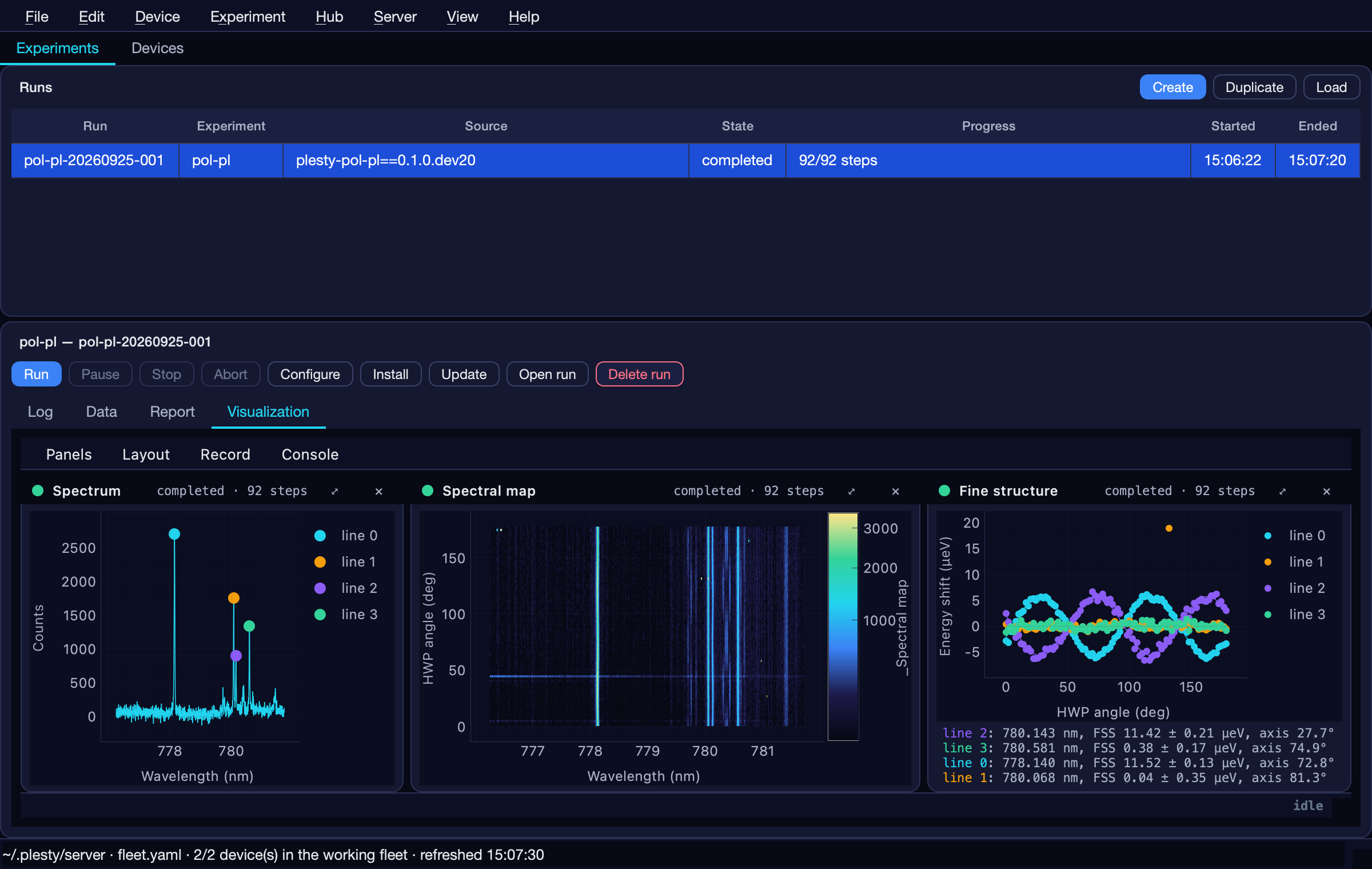
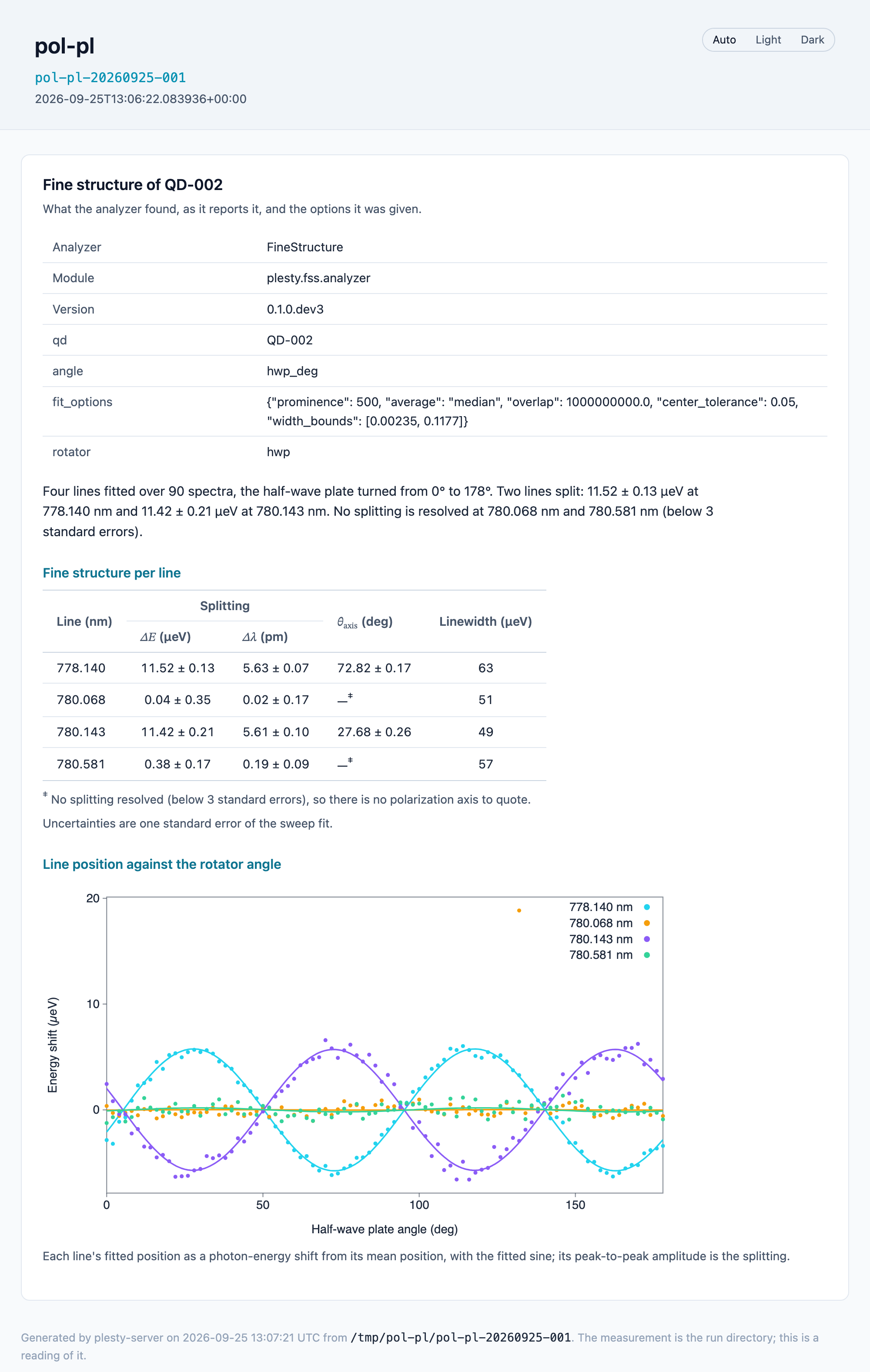
The completed run’s Visualization shows the four emission lines of QD-002. Two of them swing against the angle — their energy follows the polarisation — and two stay flat:
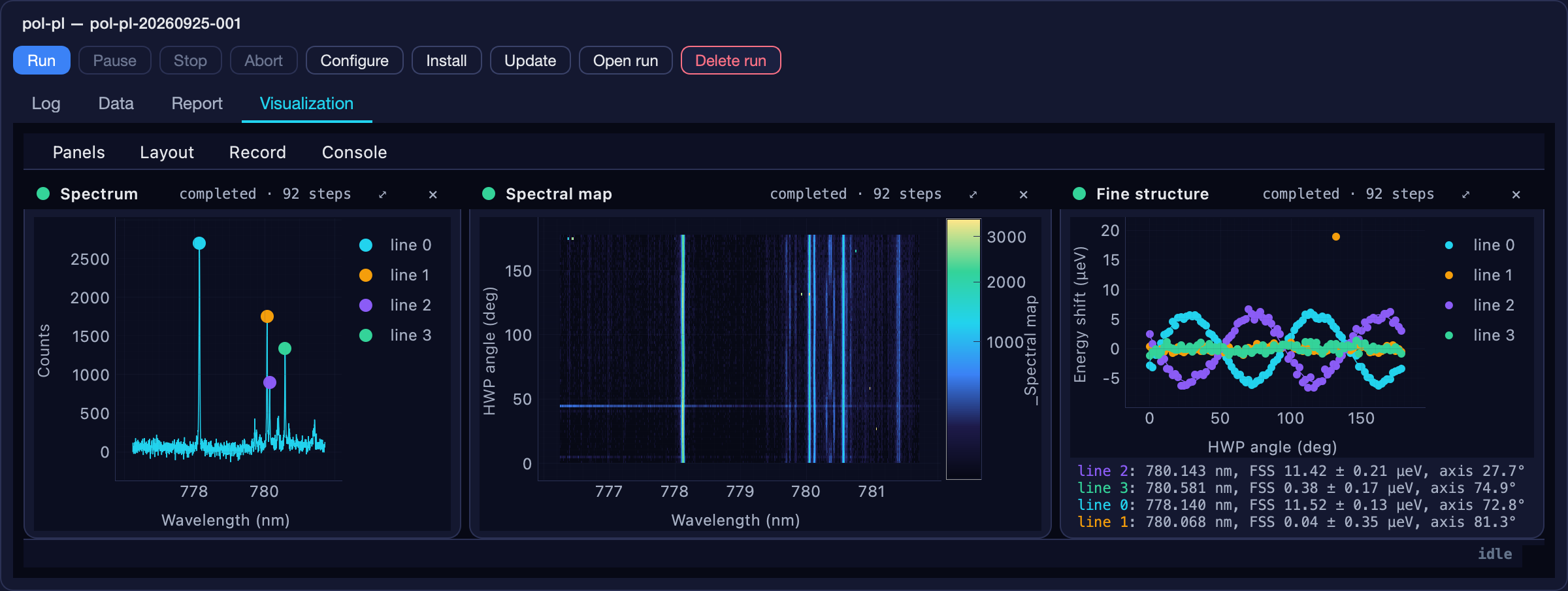
That swing is the fine-structure splitting (FSS): the peak-to-peak energy difference between a line’s two polarisation components. The analysis reports, for this run:
Line |
Splitting |
Polarisation axis |
|---|---|---|
778.140 nm |
11.52 ± 0.13 µeV |
72.8° |
780.143 nm |
11.42 ± 0.21 µeV |
27.7° |
780.068 nm, 780.581 nm |
not resolved (below 3 standard errors) |
— |
The report
The run wrote report.html into its folder when it ended — Open run  opens the folder, and Export HTML in the Report pane saves a copy
anywhere. It needs nothing but a browser, and holds the whole run:
opens the folder, and Export HTML in the Report pane saves a copy
anywhere. It needs nothing but a browser, and holds the whole run:
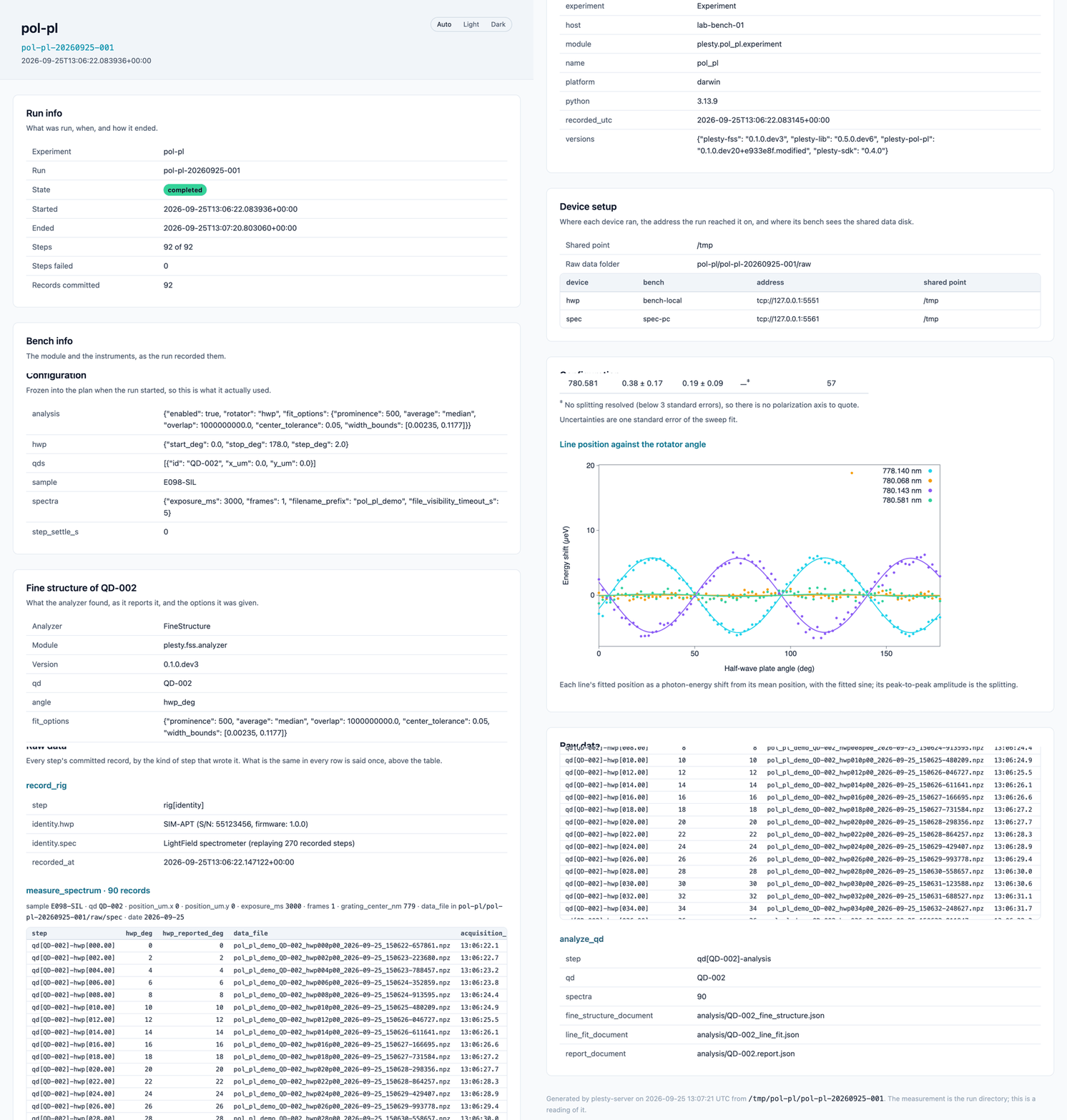
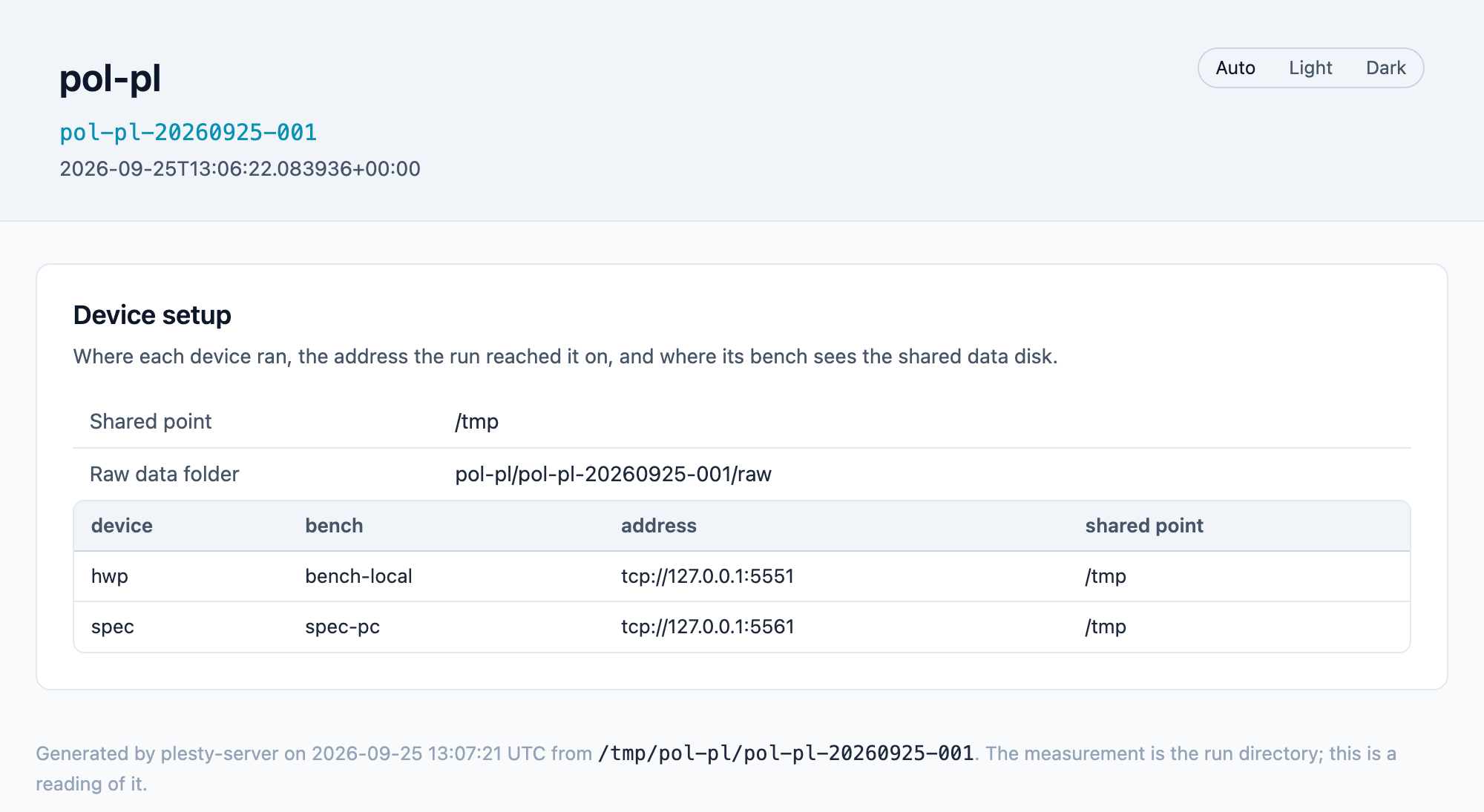
Device setup records where each instrument ran — the bench, the address the run reached it at, and where that bench sees the shared disk:
Fine structure of QD-002 is the analysis as it reports itself: its options, its conclusion, the splitting per line, and each line’s position against the half-wave-plate angle with its fitted sine:
Next
The same with your own instruments: Run an experiment explains every step in full.
Watching and driving spec-pc’s devices from here, beyond runs: Several benches.
How the run starts devices across benches and checks the disk: Experiment runs.