plesty-server
What it is
plesty-server is the bench PC’s own console: the program that installs
hub device modules, launches and supervises their device servers, runs field
tests against the instruments, and keeps the logs — so that running the
PLESTY platform on a lab bench is no longer hand work (one venv and terminal
per device, uv pins by hand, reports copied around).
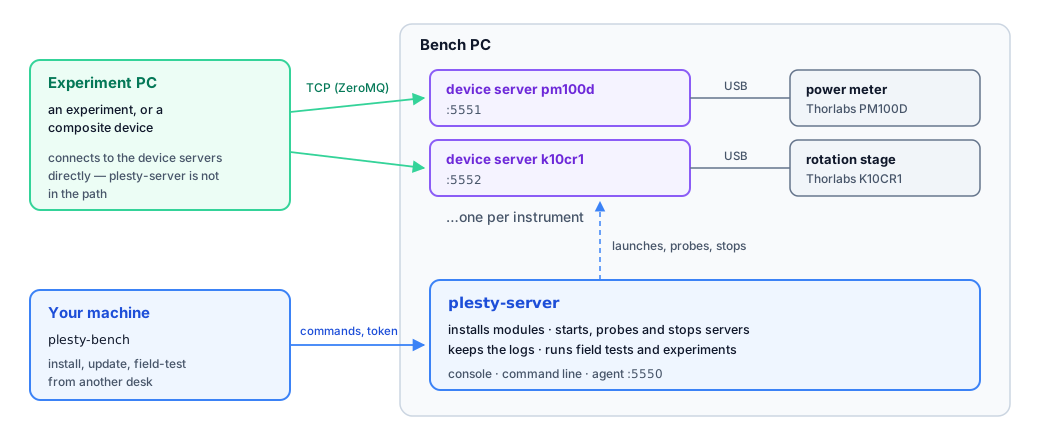
It is not the device manager (the booking portal for people) and not a device module. It sits beside the servers it runs:
experiment PC bench PC
┌──────────────┐ TCP (ZMQ) ┌────────────────────────────────────┐
│ experiment / │ ───────────► │ device server pm100d :5551 │
│ composite │ ───────────► │ device server k10cr1 :5552 │
│ device │ │ ... │
└──────────────┘ │ plesty-server (installs, starts, │
│ stops, probes, logs, field-tests)│
└────────────────────────────────────┘
Everything it writes lives under one directory, the home
(~/.plesty/server by default, see Architecture), so a
bench can be wiped or moved as a whole.
Status
Model, services, presenter, command line, Qt console and the remote agent +
plesty-bench client are in place. The console is bench-local by design —
the developer machine drives a bench with plesty-bench and never needs a
GUI. fleet run is in; see Packaging.
A release ships two PyPI distributions — plesty-server (the application)
and plesty-bench (the client) — plus light installers that carry no
application code of their own: they install uv and let it fetch the pinned
version. Nothing is frozen into a per-OS bundle. Latest: 0.2.6 (2026-08-21);
the line began at 0.1.0 (2026-08-19). See Architecture for
where each piece lands.
Installation
Bench PC — from the releases: the Windows
setup.exe, orcurl -LsSf <install.sh> | shon macOS/Linux — both installuvand thenuv tool install "plesty-server[gui]"; or run that command yourself.gitfor modules installed from a repository.Developer machine — the client only:
uv tool install plesty-bench.From source —
git clone … && uv sync --extra gui && uv run python -m plesty.server gui.
Quickstart
Bringing up a bench from nothing — one instrument, from installed application to a server an experiment can reach. Each command is covered in full in Command line.
# 1. A fleet file to declare into. Writes an annotated fleet.yaml here.
plesty-server fleet init
# 2. Declare the instrument: a name for it, the hub module it runs, and
# whatever the driver needs to find the hardware. A port is allocated
# (5551 upwards) because nothing here names one.
plesty-server declare pm100d plesty-pm100d --version 0.2.1 \
--arg --address --arg "USB0::0x1313::…::INSTR"
# 3. Stock the bench with that module: its own environment, pinned.
plesty-server module install plesty-pm100d --version 0.2.1
# 4. Start it. Installs first if nothing serves the spec, then waits until
# the server answers `describe` — not merely until the process exists.
plesty-server start pm100d
# 5. Check what the bench thinks is running, and read the log if it is not.
plesty-server status
plesty-server log pm100d -n 50
After step 4 the instrument is reachable from an experiment PC at this
machine’s address on the port status reports — nothing further is needed on
the bench. plesty-server fleet up does steps 3–4 for every device declared
with autostart, which is what a bench does after a reboot.
To drive all of this from your own machine instead of the bench’s, see Remote benches.
Reading guide
Architecture — the layers (model, services, presenter, view, host), the home directory, and how the pieces fit.
Installing device modules — environments per
(package, version), git checkouts, the inventory.Process management — how servers and jobs are started, observed and stopped; why nothing is a child process.
Ports — how a device gets its port, which ones are reserved, and what happens when one is already taken.
Cross-platform development — what differs between Windows and POSIX and the one module that knows.
Field tests — running a device’s field test from the bench.
Command line —
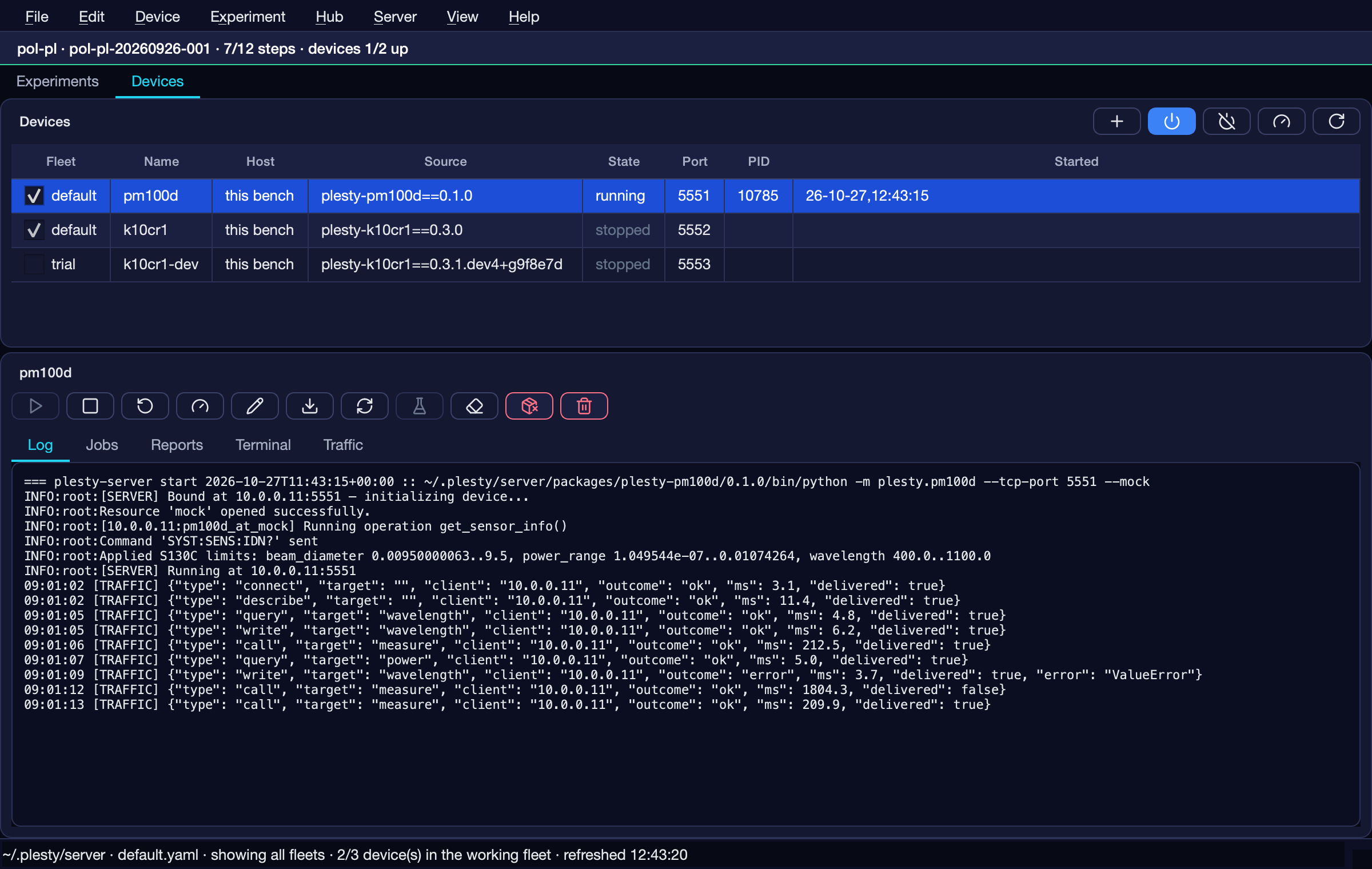
plesty-servercommands.The console — the Qt window: layout, what comes from plesty-lib, what is ours.
Remote benches — the agent, the
plesty-benchclient, and the two distributions this repository publishes.Packaging and releases — the wheel, the PyInstaller bundles, the CI jobs,
fleet run.